
All integrations

Run the meeting in Brieff. Keep the record in FYI.

Bring your FYI clients into Brieff. File meeting materials automatically and turn staff Actions into linked FYI Tasks.

See pricing
Why it matters

A clearer client file with less admin.

Pick up where the meeting left off.

When a client calls, your team can open FYI to see the meeting summary and who’s following up.

Cut the post-meeting admin.

Run the meeting in Brieff. It can file the materials you choose and create FYI Tasks from the Actions you assign to staff.

Bring clients and contacts into Brieff.

Choose the FYI clients and contacts you work with. Review matches before you import, or link a client who’s already in Brieff.

Keep updating client details in FYI. Brieff refreshes the fields FYI manages on the linked record.
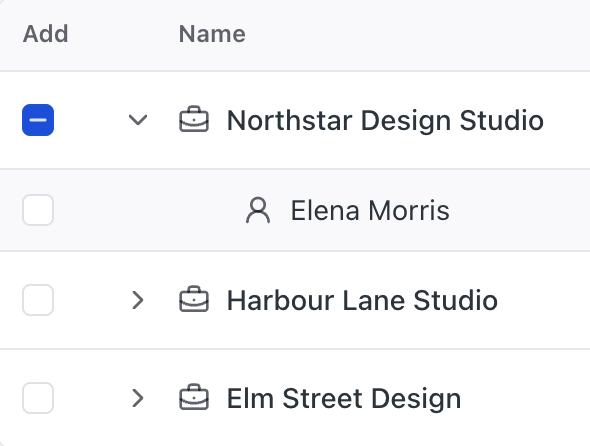
Import from FYI
A selected client with their contact listed beneath, alongside other clients available to import.

Automatically file meeting records in FYI.

Choose what goes on the client file. Agendas and follow-up materials can file when you send them. New AI meeting summaries can file as soon as you create them.

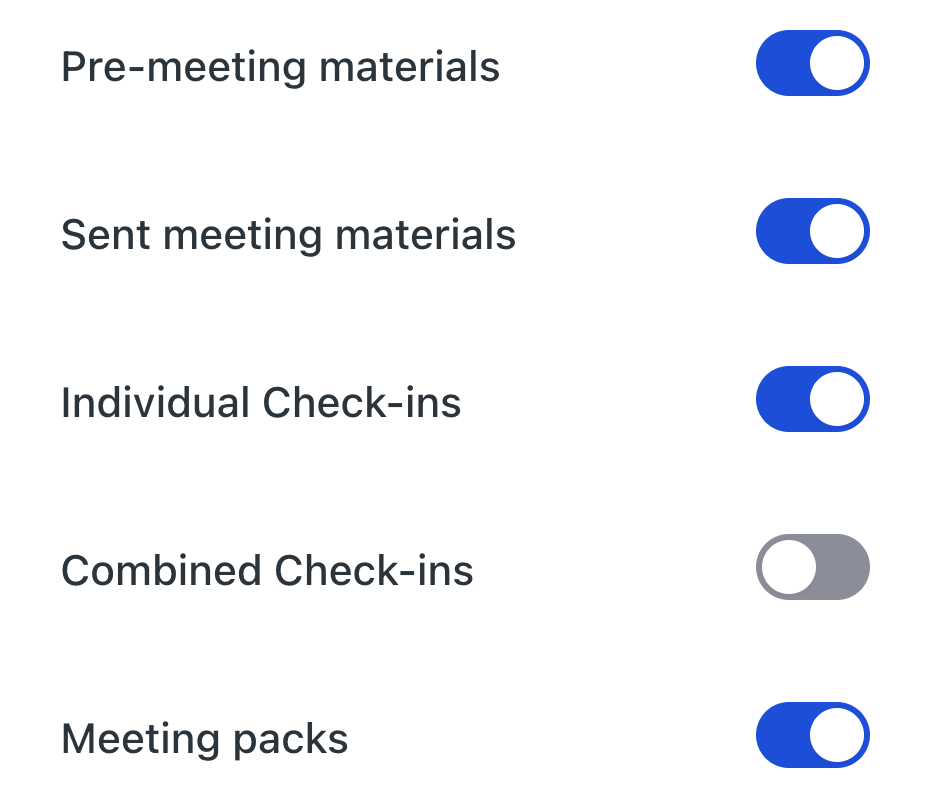
You can also file individual or combined Check-in responses, or save a meeting pack with the materials you sent and the available responses.

Filing options
Brieff settings for selecting which sent materials, Check-ins and meeting packs to file for a linked FYI client.

Sync staff Actions with FYI Tasks.

Assign a new Action in Brieff to a matched staff member and give it a due date. With Task sync on for that client, Brieff creates the linked FYI Task for you.

Reassign it, change its due date or mark it complete in either app. Your team can follow up where they already work.

A staff Action starts in Brieff. Once linked to an FYI Task, its assignee, due date and completion can sync in both directions.

Connect FYI in three steps.

  1. Connect your firm

    Add your firm’s FYI credentials in Brieff.

  2. Choose your clients

    Select clients and contacts, then review the matches.

  3. Set up filing and Tasks

    Choose what to file and match the staff who’ll use Task sync.

Your FYI questions, answered.

Keep advisory connected.

See how Brieff and FYI work together, from your next client meeting to the follow-up.

See pricing

See Brieff in action

Kate Shanahan, co-founder of Brieff

Demo with Kate

A walkthrough tailored to your firm.

On-demand demo

19 minutes. Ask questions as you watch.